Dynamics Mobile — Autonomous Field Operations Platform for Microsoft Dynamics 365
Mobile Apps for
Field Operations
Run field sales, service, and warehouse teams from your ERP.
Dynamics Mobile extends Microsoft Dynamics 365 with powerful mobile apps for field teams — offline-first, role-based, and built for real-world operations. From order capture and delivery to service execution and inventory tracking, everything stays connected and in sync, with AI supporting smarter decisions.
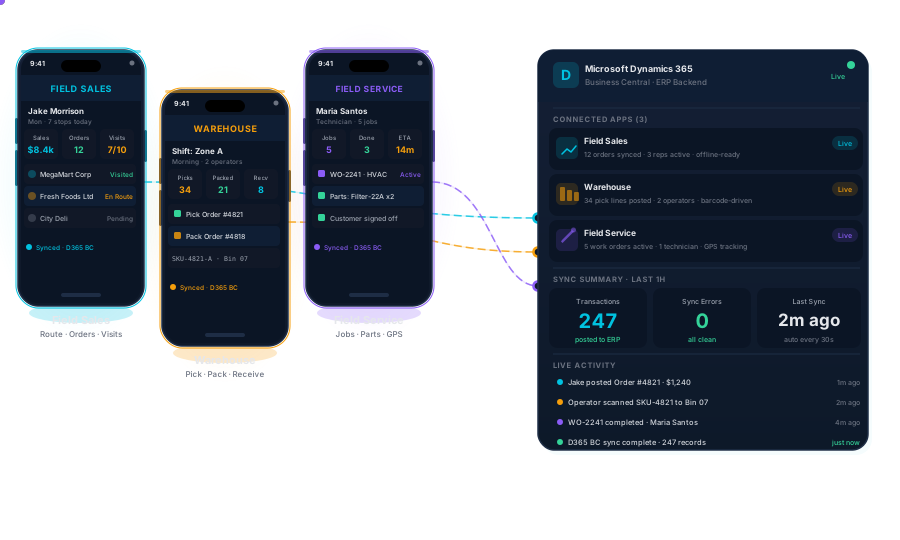
7 Solutions. One Autonomous Platform.
Purpose-built enterprise mobile apps for every field operation domain — each enhanced by AI agents watching, learning, and acting in the background.
Built into every field app. Ready on day one.
These capabilities ship as part of the platform — no add-ons, no integrations to configure. Every field team gets them out of the box.
Route Optimization & Live Field Map
Plan routes that account for vehicle capacity, visit time windows, and depot locations. Supervisors see every field rep live on the map and can replay any route history — actual vs planned, at a glance.
Electronic Document Delivery & Register
Send invoices, receipts, and delivery notes electronically the moment a visit or job is closed — by Email, WhatsApp, Viber, or SMS. Configurable rules control what gets sent, to whom, and when. Every document issued from the field is stored in a searchable register, giving your back office instant access and a full audit trail.
Smart Forms & Back-Office Workflows
Organizations define their own digital forms for structured data collection — checklists, expense claims, incident reports, customer feedback, and more. Submissions flow straight to the back office for review and approval.


Built for Autonomous Operations
Four principles that make Dynamics Mobile the platform of choice for enterprise field operations.
Mobile-First
Purpose-built for field teams — not adapted from desktop software. Every workflow designed for the mobile worker.
Offline-First
Full functionality without internet. Data syncs automatically when connectivity returns.
ERP-Integrated
Deep two-way integration with Microsoft Dynamics 365 Business Central and Finance & Operations.
Agentic AI
AI agents continuously observe, reconcile, and act across your field operations — automatically.
The Autonomous Operations Loop
Observe
All field data
Detect
Patterns & anomalies
Reconcile
Mobile ↔ ERP gaps
Recommend
Insights to supervisors
Execute
Within policy bounds
Let your AI evaluate us
Most enterprise buyers now use AI assistants during vendor research. We've structured this site to be explicitly machine-readable - factual, quantified, and honest about constraints. Use the prompt below with ChatGPT, Copilot, Claude, or Perplexity.
Or point your AI directly at /ai-snapshot.json
You are evaluating field operations automation vendors for a mid-to-large enterprise using Microsoft Dynamics 365.
Analyse and answer:
1. What problem do they solve?
2. Are we their ideal customer?
3. What differentiates them?
4. Are they enterprise-ready?
5. What risks or constraints?
6. What should we ask in a first call?
Company: Dynamics Mobile
dynamicsmobile.com/ai-evaluation
Customer Stories
Real results from real deployments
DSD & Beverage Distribution — USA
Multi-State Beverage Distributor
7 states · Southeast & Midwest
180+
field reps live across 7 states
“Before Dynamics Mobile, our supervisors were flying blind until the reps came back to the depot. Now they see every delivery, every collection, every return as it happens.”
— VP of Sales Operations
Retail & Warehouse Operations
Office 1 Superstore
Bulgaria · Southeast Europe
80%
productivity increase post go-live
“The implementation increased our productivity by 80% and minimized mistakes to 0.1%. Now we process more than 500 orders per day, up from 300.”
— Georgi Raitchev, Logistics & Replenishment Director
Multi-sector Conglomerate
ANSA MCAL Trading Limited
Trinidad & Tobago · 8 territories
200+
active users across 3 business units
“The app is simple to use, and our sales team really loved the ease at which they could perform their day-to-day functions.”
— Derrick Ramlalack, Head of IT
Industries We Serve
Trusted by enterprises across eight major industries.
Are you a Microsoft Dynamics 365 partner?
Join our partner network and expand your offering with enterprise mobile solutions.
Latest Insights
View all →Reverse Logistics: The Field App Gap Nobody Budgets For
Most field apps are built for deliver, invoice, collect. The reverse flow is where they break.
Frontline Turnover Is Partly a Software Problem
Slow scans and double data entry are attrition drivers that never show up on a turnover report.
EU E-Invoicing Is a Delivery Problem, Not Just Finance
Structured e-invoicing mandates land at the point of delivery, not the back office.
New Executive Report — 2026
Field Operations in the Intelligent Age 2026
Field operations are entering a new era. Across distribution, field sales, service, warehousing, and last-mile execution, organizations are facing growing operational complexity: fragmented systems, workforce shortages, rising customer expectations, inventory pressure, and increasing demands for real-time visibility. At the same time, artificial intelligence is rapidly moving from experimentation into operational workflows. But the future of field operations will not be defined by AI alone. The organizations that succeed in the Intelligent Age will be those that combine operational discipline, connected frontline execution, real-time intelligence, and governance-driven automation. This report explores how leading organizations are evolving from disconnected mobile processes toward orchestrated operational systems — where humans, AI agents, workflows, and field data operate together as part of a continuously adaptive operational environment. Inside this report: - The emerging architecture of intelligent field operations - Why operational visibility is becoming a competitive advantage - The rise of AI-assisted frontline execution - The hidden barriers slowing enterprise automation - Governance-before-automation frameworks - The evolution from workflows to operational orchestration - What high-performing field organizations are doing differently in 2026
Diagnose your operations — free
Free calculators and simulators that instantly reveal where your field operations are losing time, fuel, and money. No sign-up required.
Route Optimization Simulator
See how much time, fuel, and cost you're wasting with your current routing — in under 60 seconds.
Field Operations Day Simulator
Simulate a real delivery or field service day and see where cascade delays break your operation.
Field Team Capacity Planner
Can your field team actually handle your workload? Get an instant capacity vs. demand analysis.
Videos

Still using paper in the warehouse? There is a better way.
Warehouse work should not depend on printed lists, manual checks, and delayed updates. Dynamics Mobile helps warehouse teams manage daily operations directly from rugged mobile devices—making work faster, simpler, and more accurate. Move faster. Reduce mistakes. See what is happening in real time.
9 Jul 2026
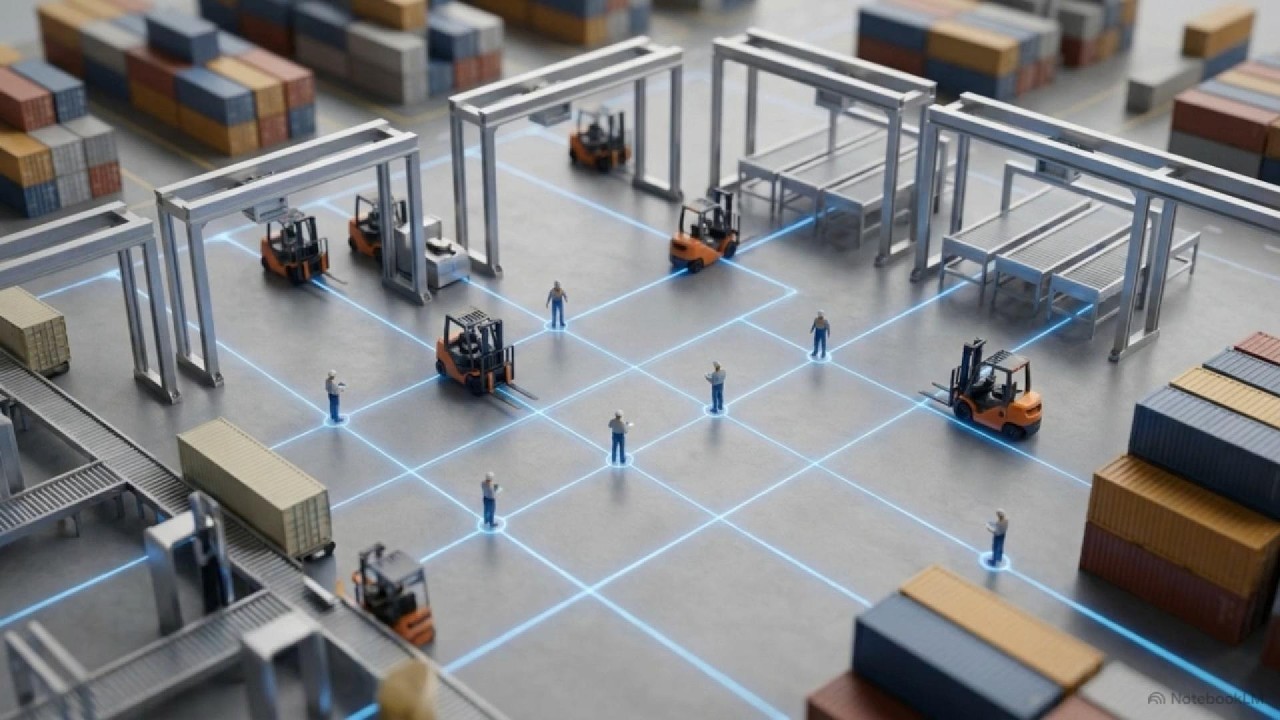
Field Operations In 2026 - Video
Dynamics Mobile Reports 2026 This Dynamics Mobile Report outlines a major transition in field operations, moving away from simple digitization toward a future of AI-assisted orchestration. While many organizations struggle with poor data quality and fragmented systems, the report argues that true competitive advantage now requires rigorous governance before automation. Successful companies are shifting their focus to observability, which allows them to reconstruct events and resolve exceptions in real time rather than just viewing static status updates. The research emphasizes that the most effective transformations prioritize human-machine collaboration, ensuring that frontline workers are integrated into the technological shift. Ultimately, the next decade of operational success will be defined by an organization's ability to create legible, machine-consumable data that can safely support semi-autonomous systems. Regulatory pressures and the need for traceable evidence are also becoming central to maintaining a standard operating baseline.
12 May 2026

Planning, Execution and Analysis for of Van-sales, Merchandising, DSD and more
You run an organization which serves hundreds or thousands of customers daily. You have a number of mobile agents, who are travelling hundreds of kilometres on a daily basis to visit them. How do you plan their daily activities? How do they know who they need to visit tomorrow, next week or the next month? Do you have a visiting schedule for every mobile agent and customer? Do you know how effective they are? Dynamics Mobile is the right solution that will help you in planning, execution and analyses of all field activities, like Pre-sales, Van-sales, Delivery, Merchandising, Servicing, and others.
15 Apr 2026
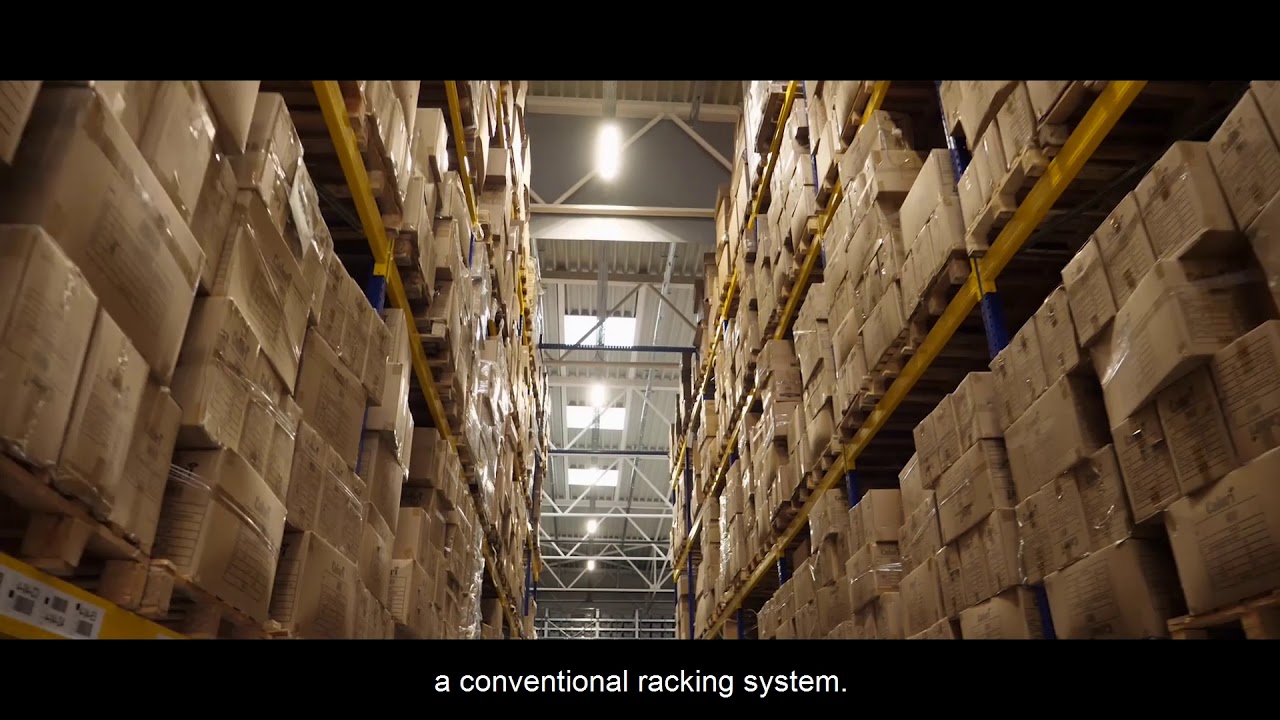
Office 1 Superstore improves warehouse management operations with Dynamics Mobile
Case Study The stationery and office supplies company equipped their warehouse employees with Dynamics Mobile powered devices fully integrated with Microsoft Dynamics ERP. Now, Dynamics Mobile is a constant part of their daily activities like receiving, picking and shipping of goods, inventory checks, internal movements, and others.
15 Apr 2026

Field Sales that works everywere
Field operations don’t stop when connectivity fails
15 Apr 2026
Your field teams deserve better tools.
See how Dynamics Mobile connects your field sales, service, and delivery teams directly to your ERP — offline-ready, role-built, and live from day one.
Last updated: June 2026